%201.svg)
How Container Images Improve QA Scalability



Container images are transforming QA testing by making it faster, more reliable, and cost-efficient. By bundling applications, dependencies, and configurations into lightweight, portable units, teams can eliminate inconsistencies, reduce resource usage, and enable parallel testing at scale. Here's a quick overview of how they solve common QA challenges:
- Consistent Test Environments: Containers ensure tests run the same everywhere, reducing bugs caused by environment drift.
- Faster Setup: Containers launch in seconds, cutting setup times by up to 50%.
- Efficient Resource Use: A single server can run 10–20 containers versus 2–3 VMs.
- Parallel Testing: Containers support large-scale, isolated parallel test execution, reducing test times by up to 70%.
Practical tools like Docker for Selenium Grid or Testcontainers for integration testing showcase how containers streamline QA processes. Teams also benefit from smaller container images, layer caching for faster builds, and automated security scans to ensure reliability.
Switching to container-based QA can cut infrastructure costs by 30%, speed up deployments by 40%, and improve test reliability by 60%. It's a game-changer for scaling QA without inflating costs or slowing down releases.
Docker and Kubernetes Tutorial: QA Test Automation Playbook to Ship Faster
sbb-itb-7ae2cb2
Scalability Challenges in QA Testing

Container Images vs Virtual Machines: QA Performance Comparison
Before the rise of container images, QA teams faced three major hurdles that made scaling a real challenge: inconsistent test environments, resource-heavy virtual machines, and limited parallel testing. These issues created bottlenecks, slowed down releases, and pushed up costs.
Inconsistent Test Environments
Applications don’t always behave the same across different environments. Why? Differences in runtime engines, operating system versions, disk partition sizes, and even timezone settings can lead to unreliable test results.
One big culprit here is configuration drift. This happens when changes are made manually in one environment but not consistently applied across others. It widens the gap between development, testing, and production environments. Managing dozens of external variables and dependencies manually only adds to the chaos. In fact, 75% of teams report deployment issues due to unclear or inconsistent environment setups.
Residual state from previous tests can also mess things up, leading to misleading results and wasted debugging time. Professor Michael Solomon sums it up perfectly:
"State is one of the prime hazards of software testing - that one test might leave a test machine in a state to fool a subsequent test into a misleading result".
Interestingly, teams that use version-controlled test environments report a 60% drop in environment-related bugs. Clearly, a better system is needed to address these inefficiencies.
Resource-Heavy Virtual Machines
Virtual machines (VMs) are a major drain on QA infrastructure. Each VM comes with its own operating system kernel, drivers, and system services, consuming at least 2–4GB of RAM per instance. This means a single host can typically only handle 2–3 VMs, compared to 20 containerized environments running on the same hardware.
VMs are also slow to boot, taking 30–60 seconds, and are hefty in size - often ranging from 10GB to 20GB. This makes them difficult to store, transfer, and scale quickly. For teams trying to scale with VMs, infrastructure costs can rise by 30–40%. The result? Limited capacity for running multiple tests at the same time, which directly impacts the ability to scale testing efforts.
Limited Parallel Testing
Without parallel testing capabilities, QA becomes a bottleneck. The resource-heavy nature of VMs means only a few test instances can run simultaneously. This forces teams to rely on sequential testing, which slows down feedback loops and increases the risk of environmental drift - when configuration changes from one test interfere with others.
In shared integration environments, this can lead to wait times of 1–2 hours for changes to go live. Compare that to isolated setups, which can cut that time to under 20 minutes. Teams limited by low parallelism might only manage 3–4 deployments per day, while isolated parallel testing can support 10 or more.
Arthur C. Codex from Reintech highlights the issue:
"For large test matrices, this overhead [of VMs] becomes a limiting factor in parallel execution capacity".
The business impact is undeniable. Slow feedback loops delay releases, and bugs that slip into production are 15 times more expensive to fix than those caught earlier. By adopting parallel testing with isolated instances, organizations can slash test execution time by 70%.
How Container Images Solve QA Scalability Problems
Container images address scalability challenges by bundling dependencies, reducing setup times, and enabling extensive parallel testing. Unlike virtual machines (VMs), which require a full operating system, containers share the host's kernel and include only the essentials. This makes them lightweight, fast, and efficient - perfect for streamlining fully-automated QA workflows and overcoming the inefficiencies of resource-heavy VMs or inconsistent environments.
Portable and Consistent Test Environments
Container images package everything needed - application code, runtime, libraries, tools, and configurations - to create consistent, isolated test environments across all stages of development and testing. Each container operates independently, shielding test results from external factors and preventing interference between runs.
With semantic versioning (e.g., 1.2.3), teams can version their container images, store them in registries, and easily roll back to stable versions or track changes. This approach reduces environment-related bugs by 60% when compared to traditional methods.
"Containers are small and fast, and they make switching among various images quick and easy".
This portability also allows developers to replicate production environments - including configurations and data - on their local machines, enabling realistic testing scenarios.
Faster Test Environment Setup
When it comes to speeding up setup times, containers are a game-changer. They can launch in milliseconds to under a minute, making them far quicker to create, store, and deploy compared to VMs. Their compact size enhances deployment speed and efficiency within testing infrastructures.
Resource efficiency is another major advantage. A single server can run 10 to 20+ container instances in the same memory footprint that would typically accommodate only 2–3 VMs.
"Container architecture is so light on resources that 10 or more instances can run simultaneously on a single server in common test scenarios".
Containers also support an ephemeral workflow. Resetting to a clean state is as simple as terminating the current container instance and spinning up a fresh one from the base image - all in under a minute. Teams using Infrastructure as Code to automate container setups report a 50% reduction in environment setup time compared to manual processes. Additionally, organizations that prioritize lightweight images (under 100 MB) see a 30% decrease in deployment time.
Parallel and Isolated Test Execution
Containers directly address the limitations of VMs when it comes to parallel test execution. Their isolated environments eliminate shared state, data leakage, and interference from other processes, ensuring stable and reliable test results. This isolation prevents the "flaky" outcomes that often occur when multiple browsers or processes compete for resources.
The lightweight design of containers makes scaling out testing much easier. Instead of running tests sequentially, large test suites can be divided into smaller groups and executed simultaneously across multiple containers. This approach has led to a 70% reduction in test execution times for organizations adopting parallel testing with containers.
For example, a suite of 500 tests that would take 40 minutes to run sequentially can be completed in just 8 minutes when split across 5 parallel threads.
"It is significantly more stable to run 10 containers with 4 parallel threads each than to force 1 container to handle 40 parallel threads".
Using container orchestration tools to manage testing environments also helps organizations cut infrastructure costs by approximately 40%.
Practical Applications of Container Images in QA
Container images have reshaped QA testing by making processes faster, more consistent, and easier to scale. Whether it's browser automation or integration testing, containerization has proven to be a game-changer. Below are some practical examples showing how container images tackle QA scalability challenges head-on.
Scaling Selenium Grid with Docker
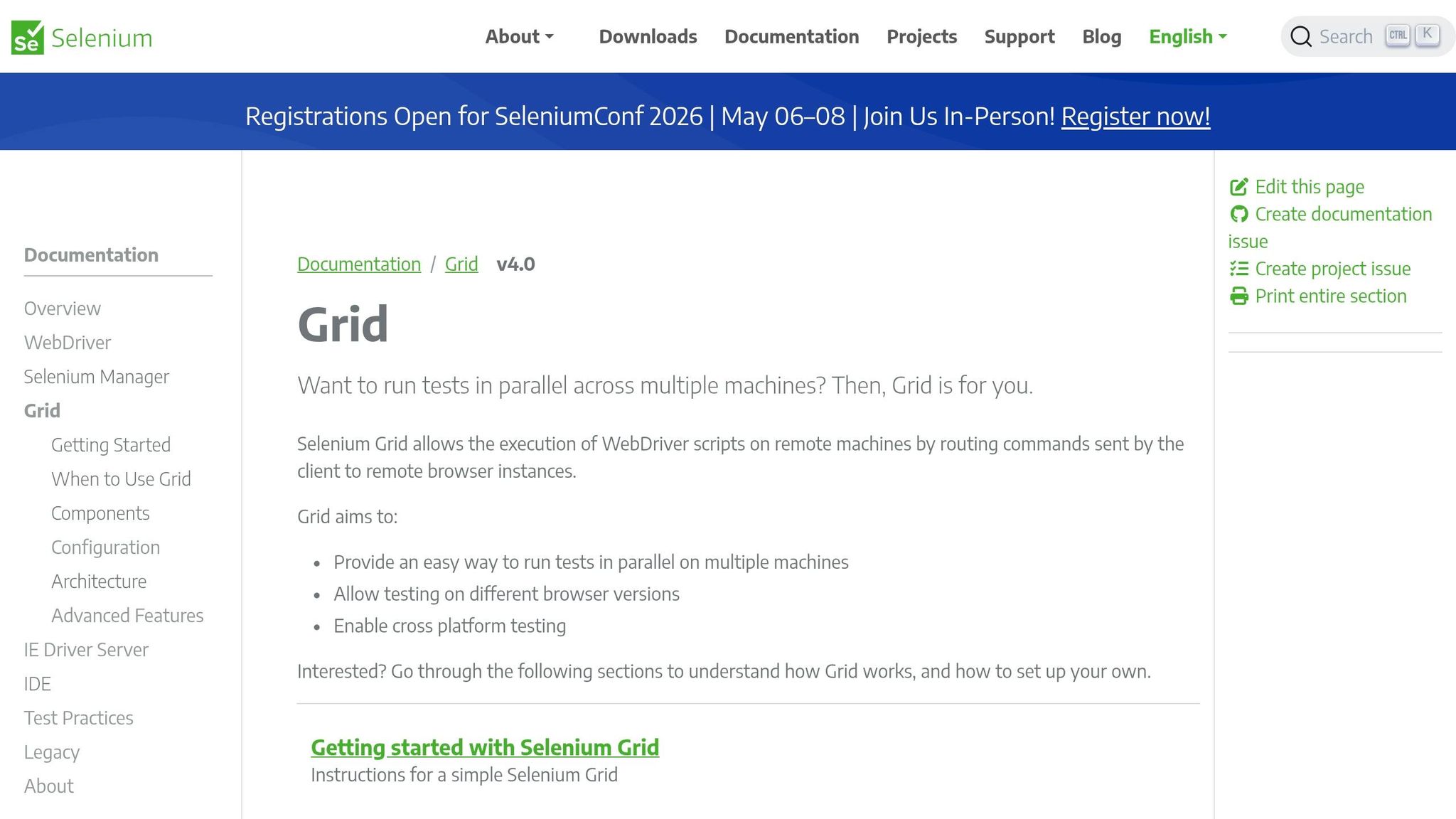
Using Docker to scale Selenium Grid is a powerful way to handle rapid, parallel test execution. The setup relies on a hub-and-node architecture: a central Hub container manages test distribution, while Node containers (e.g., Chrome, Firefox, Edge) handle browser sessions. Teams can scale browser instances effortlessly using a simple command like docker-compose up --scale chrome=<number>. This allows dozens of tests to run in parallel without requiring manual setup.
In September 2025, QA engineer Abhishek Verma adopted a dockerized Selenium Grid for a regression suite containing hundreds of test cases. By transitioning from traditional VM-based execution to Docker Compose with parallel TestNG threads, Verma's team cut their nightly build feedback loop from 4 hours to just 1.5 hours. This shift also resolved issues with inconsistent ChromeDriver versions across developer machines.
"Dockerizing Selenium Grid was one of the highest-ROI improvements I made to our automation setup." - Abhishek Verma, QA Automation Engineer
For larger-scale needs, platforms like Docker Swarm or Kubernetes provide even more flexibility. These tools distribute browser nodes across multiple machines, enabling faster execution. For example, TestDriven.io implemented a Selenium Grid on a Docker Swarm cluster with five droplets, scaling to 4 Chrome and 4 Firefox nodes. This setup reduced the execution time for a 20-test suite from 8 minutes to just 1.5 minutes.
Using Testcontainers for Integration Testing
Testcontainers simplifies integration testing by ensuring consistent environments across all machines - whether it’s a developer’s laptop or a CI server. It achieves this by using version-locked Docker images for dependencies like databases, message queues, and browsers. All that’s required is Docker, eliminating the hassle of manually managing multiple dependency versions.
The framework automatically handles container lifecycles, spinning up clean instances for each test and tearing them down afterward. This ensures isolated environments, preventing data contamination between tests. For debugging, Testcontainers offers built-in VNC support to visually inspect running tests and even records video sessions, saving only failed test recordings to conserve disk space with the RECORD_FAILING mode.
"Testcontainers allows fixed versions of Chrome and Firefox to be run inside of Docker containers, fully wired up to Selenium, VNC, and with automated video recording of tests." - Richard North, Creator of Testcontainers
Unlike emulators or headless-only setups, Testcontainers runs tests on real browsers and actual service instances, delivering results that closely mirror production environments. This approach improves both accuracy and reliability, helping teams fine-tune their testing configurations.
Custom Container Images for Application Testing
Custom container images take consistency and isolation a step further. By creating tailored Dockerfiles, teams can bundle specific browser versions, drivers, and application dependencies (like Java, Python, or Maven) into a single image. This eliminates the infamous "works on my machine" problem.
These images can also include application-specific settings, such as predefined screen resolutions (SCREEN_WIDTH, SCREEN_HEIGHT) for UI testing or disabled GPU acceleration for more stable headless testing. Because containers are ephemeral - created fresh for each test run and destroyed afterward - they avoid issues caused by leftover cache or temporary files.
Organizations using containerized setups report 60% faster environment setup times and improved test reliability. Cross-browser testing with containerized nodes can expand test coverage by 30%, while parallel execution through container clusters can slash overall testing time by up to 70%.
| Scaling Method | Tool Used | Best For |
|---|---|---|
| Local Scaling | Docker Compose | Small to medium test suites; single-machine execution |
| Cluster Scaling | Docker Swarm | Distributed execution across multiple hosts with straightforward setup |
| Enterprise Scaling | Kubernetes (K8s) | Large-scale, auto-scaling infrastructure with advanced management needs |
| Cloud Scaling | DigitalOcean/AWS + Docker | On-demand provisioning to optimize infrastructure costs |
Best Practices for Managing Container Images in QA
Running containers in QA is one thing, but managing them well is what truly makes a difference. Poor handling of container images can lead to bloated builds, slower pipelines, and unnecessary infrastructure costs. Efficient image management not only speeds up deployments but also improves scalability by cutting down on build times and resource usage.
Reducing Container Image Sizes
Smaller container images bring big benefits: faster deployments, lower bandwidth usage, and a smaller attack surface. One effective approach is using multi-stage builds. This method allows you to compile dependencies in a separate build image and then transfer only the essential artifacts to a minimal base image.
Switching to a lean base image can also significantly reduce image size. For instance, moving from a standard Node.js image to an Alpine-based image can shrink the size from 920 MB to just 135 MB. If you're looking for even more efficiency, Google's Distroless images are a great option. They strip away unnecessary components like shells and package managers, leaving only your application and runtime dependencies. For static binaries, you can go even further by using a scratch base image, which starts at 0 MB.
Here's a real-world example: In March 2026, Sanjaysundarmurthy, a Senior DevOps Engineer, optimized a Node.js API container by switching to a node:20-alpine builder and a distroless/nodejs20 runtime. This change reduced the image size from 1.2 GB to 48 MB - a 95% reduction. Deployment times dropped from 14 minutes to just 6 minutes, and pulling the image on Azure nodes went from 4 minutes to a lightning-fast 18 seconds. The team saved roughly 1,000 engineering hours per year.
To further streamline your images, combine RUN commands in your Dockerfile and use a .dockerignore file to exclude temporary files and unnecessary content.
"The best container image is the smallest one that still runs your application. Every megabyte you remove is bandwidth saved, attack surface reduced, and deployment time shortened." – Nawaz Dhandala, Author, OneUptime
Using Layer Caching for Faster Builds
Docker builds images layer by layer, and if one layer's cache is invalidated, all subsequent layers need to be rebuilt. To avoid this, use the dependency-first pattern. This involves copying dependency files like package.json, requirements.txt, or go.mod into the image and installing them before adding your full source code. A Node.js project that adopted this method saw warm build times drop from over 12 minutes to just 14 seconds - a 98% improvement.
Another tip is to place stable instructions - such as the base image and system dependencies - at the top of your Dockerfile. Additionally, you can use BuildKit mount caches (RUN --mount=type=cache) in your CI/CD pipelines to speed up downloads. For example, a monorepo containing six Go microservices reduced CI build times from an average of 8 minutes per service to just 90 seconds. This optimization cut the total pipeline time from 48 minutes to just 9 minutes.
"The single most impactful optimization you can make is reordering your Dockerfile so that the stuff that changes most often comes last." – Balajee Asish Brahmandam
Streamlined builds like these pave the way for seamless integration with advanced QA automation tools.
Integrating with Ranger for Scalable QA Automation
Ranger's AI-driven QA platform is designed to integrate effortlessly with containerized environments, automating and scaling testing processes. With its hosted test infrastructure, you don't have to worry about managing container orchestration. Instead, you can focus on adopting container best practices in your application delivery pipeline.
To ensure consistency and avoid unexpected test failures, use immutable tags like semantic versions or commit hashes when integrating with Ranger. This practice locks down versions, preventing mismatched dependencies during testing.
Security is another critical aspect. Automating vulnerability scans with tools like Trivy or Docker Scout in your CI/CD pipeline can catch risks before they reach QA. In 2024, researchers identified over 3 million malicious or typosquatted repositories on Docker Hub, highlighting the importance of rigorous security checks.
Ranger also supports integrations with GitHub and Slack, enabling you to trigger test runs automatically when new images are pushed to your registry. Its combination of AI-powered test creation and human oversight ensures that tests remain reliable even as your containers evolve. This creates a scalable QA workflow that adapts to your team's growth and delivers faster, more dependable QA cycles.
"Scanning is the first and best opportunity to catch critical risks before containers go live, when remediation is fast, low-risk, and automatable." – Emma Datny, Checkmarx
Conclusion
Container images have reshaped how QA teams operate, tackling environment inconsistencies, slashing infrastructure costs by up to 30%, and speeding up test execution by 70%. Companies adopting these workflows report a 40% boost in deployment speed and a 65% drop in production issues.
The key lies in using lightweight base images, leveraging layer caching, and incorporating automated security scans. These practices form the backbone of a scalable and efficient QA process.
Ranger’s AI-powered platform takes this a step further. It simplifies container orchestration, offering hosted test infrastructure and integrations with tools like GitHub and Slack. This allows teams to focus on building and delivering features instead of wrestling with Kubernetes complexities. By combining AI-driven test creation with human oversight, Ranger ensures your testing processes remain scalable and dependable as your needs grow.
Shifting testing left - running integration tests locally with real dependencies - catches defects 65% faster than traditional shared environments. This proactive approach also prevents costly production defects, which can be up to 15 times more expensive to fix later. Teams adopting these practices have seen deployment frequency soar from 3–4 times daily to more than 10.
Container images are more than just a technical improvement - they’re a strategic tool for boosting efficiency, accelerating release cycles, and staying competitive. When implemented well, they can cut resource consumption by 50%, improve resource utilization by 60% with auto-scaling, and shrink test cycle times by up to 70%. The question isn’t whether to adopt container images for QA, but how quickly you can implement them to stay ahead of the curve. Now’s the time to embrace container images and revolutionize your QA strategy.
FAQs
When should QA use containers instead of VMs?
Containers offer a clear advantage over virtual machines (VMs) for QA teams when speed, scalability, and resource efficiency are top priorities. Unlike VMs, containers are lightweight and start up almost instantly, making it easy to deploy multiple isolated environments quickly. This efficiency makes them a perfect fit for CI/CD pipelines, where agility and rapid iterations are essential.
That said, VMs still have their place. They’re better suited for situations where strong isolation or the ability to customize the entire operating system is necessary. But for agile workflows that demand fast, scalable, and consistent testing environments, containers are the go-to solution.
How do we prevent flaky tests when scaling containers in parallel?
Flaky tests can be a real headache, especially when scaling containers to run in parallel. Containerization offers a practical solution by ensuring consistent testing environments. With Docker containers, applications are packaged together with all their dependencies, creating isolated setups. This isolation minimizes environmental differences that often lead to flaky test results.
Running tests in identical container instances not only boosts reliability but also significantly cuts down on flaky outcomes. Plus, this method allows teams to execute tests simultaneously, speeding up the process and making QA efforts more scalable.
What’s the safest way to version, tag, and scan QA container images in CI?
To manage QA container images securely in your CI pipeline, stick to explicit and immutable tags. Options like semantic versions (e.g., v1.2.3) or commit-based IDs provide clear traceability. Automating the tagging process ensures consistency, while integrating vulnerability scans directly into your pipeline helps catch potential issues early.
Don't forget to routinely clean up older images to prevent storage from becoming cluttered. For an extra layer of security and reliability, make sure your registry supports immutable tags or digest-based references. This approach minimizes risks and keeps your workflow consistent.
Related Blog Posts


.avif)
%201%20(1).svg)
More signals, less noise, faster launches
Let Ranger be your guide to sustainable QA testing.
