%201.svg)
Hybrid Cloud QA: Cost-Saving Best Practices


Hybrid cloud QA combines private on-premises systems with public cloud services, offering flexibility and cost management for testing. However, inefficiencies in cloud spending can lead to waste, with up to 32% of budgets misused. The key to saving costs lies in smart strategies that balance performance and expenses. Here's a quick summary of the best practices:
- Public Cloud vs. On-Premises: Public cloud is pay-as-you-go but can balloon with hidden costs. On-premises requires upfront investment but is cheaper for steady, high-capacity workloads.
- Auto-Scaling vs. Scheduled Shutdowns: Auto-scaling adjusts resources dynamically but retains some costs. Scheduled shutdowns save up to 70%, ideal for predictable schedules.
- Reserved Instances vs. Spot VMs: Reserved Instances guarantee capacity but require long-term commitments. Spot VMs offer steep discounts (up to 90%) but risk interruptions.
- AI-Powered QA vs. Manual QA: AI tools like Ranger reduce costs by up to 90% compared to manual QA, scaling efficiently and maintaining accuracy.

Hybrid Cloud QA Cost Comparison: 4 Key Strategy Trade-offs
The Shocking Truth About Hybrid Cloud Costs 💀
While managing costs is critical, maintaining end-to-end security in cloud QA remains a top priority for hybrid environments.
sbb-itb-7ae2cb2
1. Public Cloud vs. On-Premises for QA
Let’s dive into one of the key factors in hybrid cloud QA strategies: cost efficiency. Understanding how public cloud and on-premises options stack up is vital for making informed decisions.
Cost Efficiency
The financial differences between public cloud and on-premises QA setups boil down to how you pay and how long you use the resources. Public cloud operates on an Operating Expense (OpEx) model - essentially, you pay for what you use with no upfront investment. On the other hand, on-premises systems require a hefty Capital Expenditure (CapEx) for hardware, but they can become cheaper over time if you’re running them continuously.
For example, an AWS c8g.8xlarge instance costs about $11,200 annually, while a comparable Dell PowerEdge server comes with a $14,300 upfront cost. That Dell server typically breaks even after 15 months if used at a high, steady capacity.
Both options come with hidden costs. Public cloud expenses can balloon due to things like data egress charges (roughly $90 per TB for inter-region transfers), support plans, or unexpected scaling. Meanwhile, on-premises setups incur ongoing costs for power, cooling, physical space, and salaries for maintenance staff - estimated at $200–$350 per server per month. For predictable workloads that run around the clock, on-premises often ends up being cheaper in the long run. But if your testing needs fluctuate or are short-term, the cloud offers better efficiency.
Scalability and Flexibility
One of the biggest advantages of the public cloud is how quickly you can scale. Provisioning cloud resources is almost instant, whereas setting up on-premises hardware can take anywhere from 4 to 12 weeks for procurement, delivery, and installation. This speed can be a game-changer during crunch periods like pre-release QA cycles.
Cloud platforms also shine when it comes to scaling. They allow both vertical and horizontal scaling through auto-scaling policies that adjust to demand. On-premises scaling, however, is limited by physical constraints like rack space, power supply, and cooling capacity.
For teams using a hybrid approach, "cloud bursting" is a clever strategy - running baseline testing on-premises and shifting overflow workloads to the cloud during peak times. This avoids over-investing in hardware that might sit idle most of the year.
Another perk of the cloud is the ability to create ephemeral environments. These temporary setups, often used for feature testing or pull request previews, automatically shut down when not in use, cutting infrastructure costs by as much as 70–80%. Replicating this kind of flexibility on-premises would require over-provisioning and lead to wasted resources.
Implementation Complexity
While public cloud setups are faster to get off the ground - since the provider handles much of the infrastructure - they come with their own set of challenges. Shared responsibility models, complex IAM configurations, and the need for ongoing FinOps oversight can introduce headaches. Misconfigurations are a major issue, with 68% of cloud security breaches linked to this problem, and 60% of organizations reporting higher-than-expected cloud bills.
"Cloud complexity has outpaced visibility. What started as a move toward flexibility now leaves most teams struggling to answer a simple question: where exactly is the money going?"
On-premises setups, while slower to deploy, offer more predictable costs for steady workloads. However, they require significant upfront effort, including hardware procurement, facility setup, and ongoing IT maintenance. Managing QA across both environments adds another layer of complexity, as teams often need to normalize data from different billing systems, currencies, and accounting models.
Balancing cost and complexity is crucial to building a strong hybrid cloud QA strategy. These challenges set the stage for digging deeper into how auto-scaling and resource management can further optimize costs.
2. Auto-Scaling vs. Scheduled Shutdowns
Once you've opted for a hybrid cloud setup, efficiently managing QA resources becomes a priority. Two popular approaches stand out: auto-scaling and scheduled shutdowns. Each comes with its own set of trade-offs that directly affect costs and operational agility.
Cost Efficiency
Scheduled shutdowns can slash expenses by turning off instances during off-hours (e.g., 7 PM–8 AM), leading to significant savings - up to 60–70% for dev and test environments that otherwise sit idle most of the week. This is a great option for teams with predictable, standard work schedules.
Auto-scaling, on the other hand, offers a more flexible alternative. Instead of completely shutting down, it scales workloads to the smallest viable instance size, such as Azure's burstable B-series VMs. This method retains about 70–80% of the savings achieved by full shutdowns while ensuring systems remain accessible for distributed teams or emergencies.
"Scaling to minimum during off hours captures 70–80% of the savings you'd get from full shutdown, with none of the availability problems."
– Suhas Mallesh
However, it's worth noting that managed disks incur charges regardless of whether the VM is running or scaled down. To optimize savings, align database instances with the same start/stop schedule; otherwise, idle database costs can eat into your budget.
Scalability and Flexibility
Scheduled shutdowns may lead to longer cold starts, taking several minutes to boot up. In contrast, auto-scaling significantly reduces this downtime to just seconds, making it better suited for handling sudden demand spikes or late-night fixes.
Auto-scaling is particularly effective for unpredictable workloads. For instance, advanced configurations can trigger scaling events even during off-hours if CPU usage surges, such as during automated deployments. Scheduled shutdowns, however, lack this flexibility - once the system is off, it's inaccessible until manually restarted.
"Never set VMSS minimum to 0. Even if you think nobody will use it, a minimum of 1 ensures zero cold-start latency... That one instance is your insurance policy."
– Suhas Mallesh
This balance between cost savings and availability highlights the complexity of implementing these strategies.
Implementation Complexity
Both approaches require some setup, but the level of effort can vary. Azure simplifies scheduled shutdowns with built-in "auto-shutdown" tools in the VM resource settings. AWS and GCP, however, often require additional configuration, such as using Lambda or Cloud Functions triggered by EventBridge or Cloud Scheduler.
Auto-scaling setups depend on your needs. Pre-scheduled scaling (reducing to a minimum size using native autoscale profiles) is relatively straightforward. But dynamic, metric-based scaling involves defining thresholds, integrating monitoring tools, and rigorous testing to avoid bottlenecks. Some providers, like Oracle Cloud, offer wizards to streamline schedule-based auto-scaling.
Another consideration is IP address persistence. Traditional auto-scaling, which creates and destroys instances daily, assigns new public IPs each time, potentially requiring load balancing for test execution. Scheduled start/stop workflows, by contrast, reuse existing VMs, maintaining static IPs - an advantage for QA environments with hardcoded endpoints or strict firewall rules.
A few additional points to keep in mind:
- In Azure, stopping a VM through the operating system doesn’t stop billing; you must deallocate the resource.
- AWS RDS instances automatically restart if left stopped for over seven days, requiring automation to repeatedly stop them.
- For Kubernetes, scaling pods to zero only saves money if the underlying node pools are also set to scale down.
| Feature | Scheduled Shutdown (Scale-to-Zero) | Auto-Scaling (Scale-to-Minimum) |
|---|---|---|
| Cost Savings | Maximum (eliminates compute costs during off-hours) | High (captures 70–80% of full shutdown savings) |
| Latency | High (cold starts take minutes) | Low (scaling up takes seconds) |
| Availability | None during off-hours | Limited (baseline access maintained) |
| Complexity | Moderate (requires IP and state management) | Low (using native autoscale profiles for scheduled scaling) |
| Best Use Case | Teams with predictable, local 9-to-5 schedules | Distributed teams with off-hours needs and continuous integration |
For QA teams with tight budgets, the choice usually depends on team distribution and workflow demands. If your team works a standard 9-to-5 schedule in the same time zone, scheduled shutdowns can yield maximum savings. But for global teams or those needing after-hours access, scaling down to a minimum burstable instance strikes a practical balance.
3. Reserved Instances vs. Spot VMs
Choosing the right pricing model can make or break your cloud QA budget. Reserved Instances (RIs) and Spot VMs represent two very different approaches. RIs focus on consistency and predictability, while Spot VMs offer unmatched savings for teams that can handle a bit of risk. Using a QA risk analyzer can help identify which workloads are safe for this model.
Cost Efficiency
Spot instances are the go-to option for the steepest savings in cloud computing, cutting costs by 60–90% compared to on-demand pricing. RIs, on the other hand, provide savings of 30–72%, but they require a 1- or 3-year commitment. Many QA teams find a hybrid strategy works best, combining both models for optimal results.
Here's a quick example: CloudWise, an AWS cost optimization platform, saved $5,000 in one quarter by running non-critical batch processes on Spot Instances for $2,000 while reserving $7,000 for critical databases using RIs. This mix was far cheaper than sticking with on-demand pricing.
For most teams, a layered approach works well:
- 40–60% of predictable workloads (e.g., management servers) covered by RIs or Savings Plans.
- 30–40% of fault-tolerant tasks (like CI/CD pipelines) run on Spot VMs.
- 10–20% reserved for on-demand instances to handle unexpected spikes.
This strategy complements other cost-saving practices like auto-scaling and scheduled shutdowns. For instance, Kubernetes clusters that combine on-demand and Spot instances save an average of 59%, while Spot-only clusters can save up to 77%.
"Buying a three-year reservation for an instance that is 50% over-provisioned simply locks in your waste for the duration of the contract."
– Ott, Hykell
Scalability and Flexibility
Spot VMs shine when it comes to handling sudden spikes in workload. Need to spin up hundreds of instances for parallel testing? No problem - Spot VMs let you do that without long-term commitments. However, RIs guarantee capacity, which is great for stability but risky if your needs change or drop over time.
Modern teams are moving toward AWS Savings Plans or GCP Committed Use Discounts, which offer more flexibility across instance types and regions compared to traditional RIs.
"If you can't confidently predict what your infrastructure looks like in 6 months, On-Demand is cheaper than a wrong commitment."
– Andrew DeLave, Senior FinOps Specialist
A good rule of thumb? Run QA workloads on-demand for 30–60 days to assess steady usage before committing to RIs. Keep an eye on your reservation utilization: if it dips below 80%, you might have overcommitted. If steady workloads aren't covered by at least 60%, you could be relying too much on on-demand instances.
Implementation Complexity
Spot instances come with a catch: they can be interrupted at short notice. AWS usually gives a 2-minute warning, while Azure and Google Cloud provide as little as 30 seconds. To make these interruptions manageable, QA workloads need to be stateless and fault-tolerant, with robust job queuing and retry systems.
"The single most impactful thing you can do for spot reliability is designing your applications to be stateless. Everything else is a band-aid if your app can't survive losing its host at any moment."
– CloudCostCutter Editorial Team
To minimize interruptions, diversify Spot requests across 10–15 instance types instead of relying on just one. Additionally, using a price-capacity-optimized allocation strategy can lower interruption rates. For Azure users, the "Deallocate" eviction policy helps preserve disks and networking, enabling quicker restarts.
RIs are simpler operationally but require accurate forecasting to avoid paying for unused capacity. Increasingly, AI-powered platforms are helping teams dynamically mix RIs, Savings Plans, and Spot instances, achieving savings rates of 50–70%.
Reliability
RIs guarantee uninterrupted capacity, making them ideal for critical QA infrastructure like staging databases or production-mirroring test environments. Spot VMs, however, come with no uptime guarantee. AWS reports an average interruption rate of under 5% across all instance types and regions. For stateless QA tasks - such as automated test suites or CI/CD runners - this trade-off is often worth it.
"The occasional interrupted build costs less than the on-demand premium you'd pay for uninterruptible capacity."
– Spendark
| Feature | Reserved Instances (RIs) | Spot VMs / Instances |
|---|---|---|
| Typical Discount | 30–72% off on-demand | 60–90% off on-demand |
| Commitment Term | 1 or 3 years | None (pay-as-you-go) |
| Interruption Notice | None (guaranteed) | 30 sec (Azure/GCP) to 2 min (AWS) |
| Best QA Use Case | Persistent databases, 24/7 staging | CI/CD runners, batch processing, stateless tests |
The key takeaway? Match your pricing model to your workload. Use RIs for consistent, always-on components of your QA setup, and lean on Spot VMs for burst capacity during testing peaks or for tasks that can handle interruptions without losing data.
4. Ranger vs. Manual QA Management
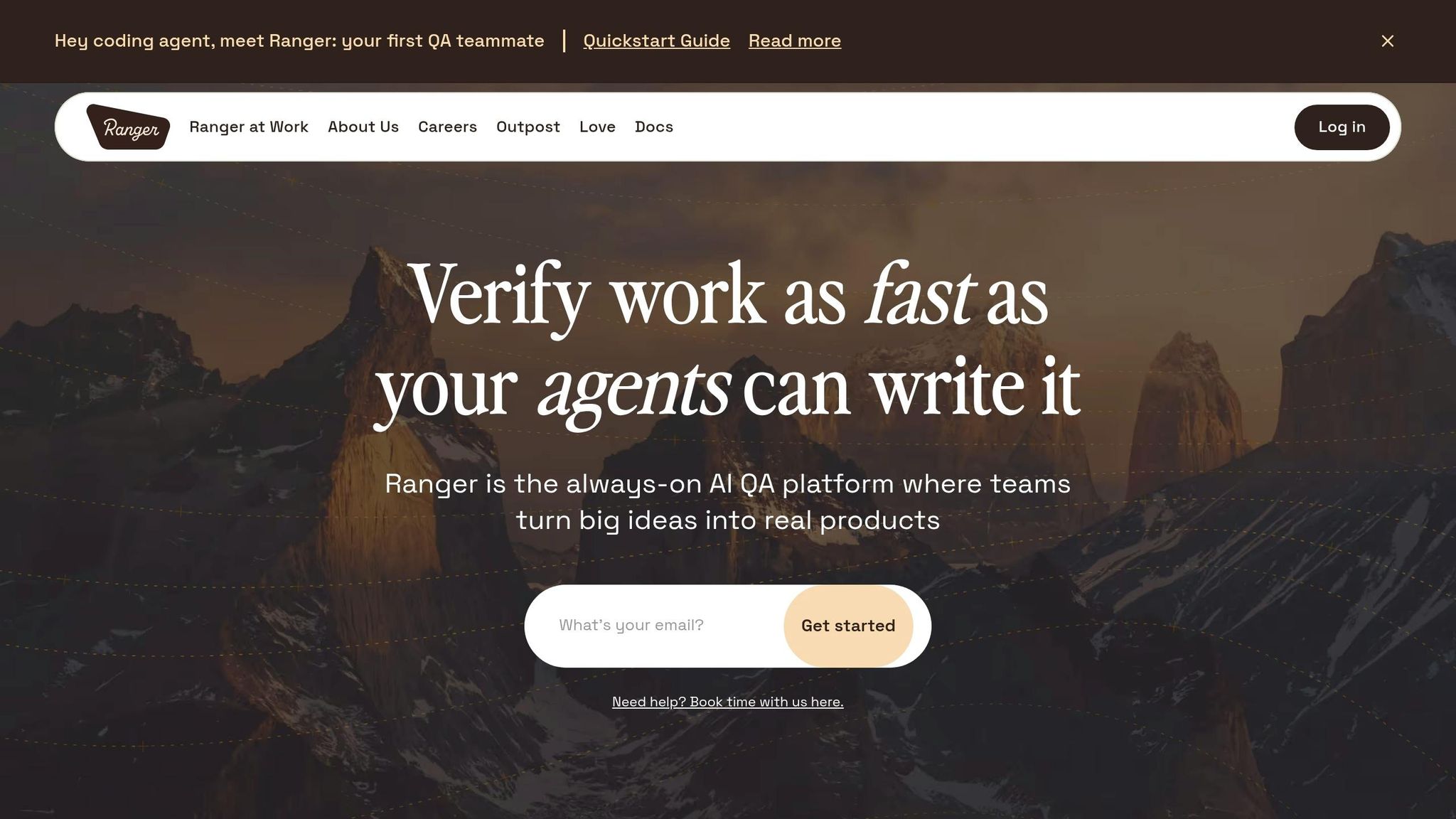
AI coding tools have revolutionized development, enabling teams to produce features at a pace 5–10 times faster than before. This rapid output makes traditional manual QA methods impractical and costly. For instance, scaling a manual QA team to support a 10-person AI-driven development team releasing 50 features weekly could cost about $1.2M annually in salaries alone. In contrast, using an AI-powered platform like Ranger provides equivalent test coverage for just $120K–$240K per year.
Cost Efficiency
Over a three-year period, the financial difference becomes even more striking. Manual QA could cost over $4M, factoring in salaries, recruiting expenses (about $15K per hire), management overhead (approximately 20% of base salaries), and risks associated with staff turnover. Meanwhile, Ranger's AI-powered platform would cost between $400K and $800K, offering savings of up to 90%. Even traditional test automation struggles to compete, as teams often spend 30–50% of their time fixing broken tests instead of focusing on new development.
"One million dollars. That is the annual difference between scaling manual QA to match an AI-accelerated development team and using a modern testing approach to do the same job."
– Tom Piaggio, Co-Founder at Autonoma
Ranger also addresses the ongoing maintenance burden by deploying AI agents that adapt as the code evolves. Instead of requiring manual updates, the platform automatically generates tests from the codebase, covering routes, components, and user flows. For a SaaS company with $5M ARR, even a single week of QA delays could result in $150K–$750K in lost revenue.
Scalability and Flexibility
The scalability of manual QA is inherently limited - it grows in direct proportion to the size of your codebase, requiring more testers as your application expands. AI-powered platforms, like Ranger, break this pattern by offering flat-cost scaling. This means expenses remain predictable regardless of how much your application grows.
Ranger’s setup is also lightning-fast. It connects to your repository in minutes and starts generating tests immediately, bypassing the typical 3–6 month ramp-up period needed for hiring or building traditional automation suites. It integrates seamlessly with tools like Slack and GitHub, delivering real-time updates and automated bug triaging accuracy without increasing headcount. For context, employing 15 manual testers would cost $1.44M–$1.48M annually, compared to just $160K–$320K for an AI-native solution.
Implementation Complexity
While cost and scalability are clear advantages, implementation ease is another critical factor. Traditional automation requires extensive engineering effort to write and maintain scripts using tools like Playwright or Selenium. Ranger eliminates this complexity by treating your codebase as the "source of truth." Its specialized agents - Planner, Automator, and Maintainer - automatically create and update tests, reducing the risk of burnout and turnover. Once connected to your repository, testing can begin immediately.
Reliability
Manual testing is prone to human error, with an average error rate of 5–15%. Factors like tester fatigue and variability further reduce effectiveness, especially during repeated regression cycles. Ranger’s AI-powered tests, derived directly from the code, remain consistent and aligned with the evolving application. While human oversight ensures quality, the platform minimizes inconsistencies and improves coverage.
| Feature | Manual QA Management | AI-Powered Platform (Ranger) |
|---|---|---|
| Year 1 Cost | ~$1.44M–$1.48M (15 testers) | ~$160K–$320K |
| 3-Year TCO | ~$4.1M | ~$400K–$800K |
| Ramp-up Time | 3–6 months | Immediate (minutes) |
| Maintenance | High (burnout/turnover risk) | Zero (self-healing agents) |
| Scalability | Linear | Flat |
| Error Rate | 5–15% human error | Consistent (code-derived) |
These advantages highlight why AI-powered platforms like Ranger are becoming essential for modern QA strategies, offering a smarter and more efficient alternative to traditional methods.
Advantages and Disadvantages
Here’s a closer look at the pros and cons of various hybrid QA solutions. Each option offers different trade-offs between cost and efficiency, making it essential to align your choice with your specific needs.
Public cloud stands out for its speed, enabling resource provisioning in minutes. However, it comes with a major downside: 83% of CIOs report exceeding their cloud budgets by an average of 30%, largely due to unpredictable costs and hefty data egress fees. On the other hand, on-premises infrastructure offers predictable costs and complete control but requires a significant upfront investment and ongoing maintenance.
Auto-scaling is another useful tool, automatically adjusting resources to handle traffic spikes. But it demands careful configuration of metric thresholds and scaling groups to work effectively. Meanwhile, scheduled shutdowns can reduce idle compute costs by 50% through automation. The catch? Access is limited to pre-defined time windows, which may not suit every team’s needs.
When it comes to cost-saving strategies, reserved instances are ideal for steady-state QA workloads, offering 30–72% savings compared to on-demand pricing. The downside is the one- to three-year commitment, which can lead to wasted capacity if your testing needs change. Spot VMs provide massive discounts of up to 90%, but they come with a risk: they can be reclaimed with as little as 30 seconds’ notice. These are best suited for stateless CI/CD runners and batch testing that can handle interruptions.
| Approach | Cost Savings | Scalability | Reliability | Best For |
|---|---|---|---|---|
| Public Cloud | Variable; prone to 30% overruns | High (elastic, minutes) | Multi-region with shared risk | Ephemeral environments, rapid experimentation |
| On-Premises | Predictable; break-even in 15 months | Low (fixed, weeks/months) | Full control; internal risk | Steady-state QA, regulated data |
| Auto-scaling | High (scales to zero) | Dynamic; handles spikes | High during peaks | Performance testing, unpredictable demand |
| Scheduled Shutdowns | Very High (50% reduction) | Static; limited to provisioned capacity | Moderate; depends on schedules | Dev/QA with predictable hours |
| Reserved Instances | 30–72% vs. on-demand | Limited by commitment | Guaranteed capacity | 24/7 automation servers, databases |
| Spot VMs | Up to 90% vs. on-demand | Highly elastic for bursts | Low (subject to interruption) | CI/CD runners, stateless tests |
The best approach ultimately depends on your workload. For example, in 2023, 37Signals slashed their infrastructure spending from $180,000 to under $80,000 per month by transitioning to on-premises systems. While the move required a $500,000 upfront investment, it’s projected to save $10 million over five years. Similarly, companies like AcceleratXR and Aarki reported cutting cloud costs by 90% after switching to private cloud setups. The key is matching each workload to the most cost-effective solution.
Conclusion
A well-thought-out hybrid cloud QA strategy ensures workloads are matched with the most cost-effective environment. For instance, non-production environments can run on automated schedules, which helps minimize idle resource usage and cuts down costs significantly. For steady-state workloads, like 24/7 automation servers, leveraging reserved instances or on-premises infrastructure can save as much as 70% compared to on-demand pricing. Meanwhile, spot VMs are ideal for burst capacity and stateless testing, offering notable cost savings.
When planning your testing approach, consider a "cheap first" testing pyramid. This means focusing on unit and component tests first and reserving more resource-intensive end-to-end tests for critical user journeys. As testRigor aptly puts it:
"Test cases cost money, but the objective is not to minimize testing. It is to maximize confidence per unit cost".
Flaky tests are a drain on both compute resources and developer time. To avoid pipeline slowdowns and unnecessary cloud expenses, isolate tests with a failure rate above 1%. Additionally, implementing tagging policies like AutoSchedule=true or Environment=dev allows automation to shut down idle resources, further reducing waste.
For more intricate hybrid setups, tools like Ranger streamline test creation and maintenance, cutting down on overhead and integration time. By integrating directly with CI/CD pipelines through platforms like Slack and GitHub, Ranger can help tackle maintenance challenges, which often account for up to 50% of total software upkeep costs.
FAQs
How do I decide which QA workloads should run on-premises vs. in the public cloud?
Deciding where to run QA workloads comes down to understanding their specific needs and balancing cost with performance.
On-premises setups are best suited for workloads that demand low latency, handle sensitive data, or must meet strict compliance standards. Meanwhile, the public cloud shines for tasks that require scalability, flexibility, or the ability to handle sudden spikes in demand.
To make the right choice, evaluate each workload's requirements for latency, compliance, and resource utilization. Additionally, modeling costs and performance can help ensure workloads are placed where they best support your business objectives.
When should I use scheduled shutdowns instead of auto-scaling for QA environments?
For QA environments with predictable usage patterns - such as business hours or specific testing periods - scheduled shutdowns are a smart way to cut costs. By halting resources during idle times, like nights or weekends, you can save a substantial amount - potentially up to 60-65%.
On the other hand, auto-scaling is ideal for environments where demand fluctuates. It adjusts resources dynamically based on the workload, providing flexibility without requiring manual oversight. This makes it a great option for handling unpredictable or variable testing needs.
What’s the safest way to use Spot VMs for QA without breaking CI pipelines?
To use Spot VMs safely in QA environments without affecting CI pipelines, prioritize fault-tolerant workloads that can handle interruptions. Set eviction policies to deallocate instead of delete, ensuring resources aren't lost. Define maximum price limits to keep costs under control. Implement checkpointing to save progress at regular intervals, and monitor eviction notices to pause or reschedule tasks as needed. These precautions help maintain smooth pipeline operations, even with potential interruptions.
Related Blog Posts


.avif)
%201%20(1).svg)
More signals, less noise, faster launches
Let Ranger be your guide to sustainable QA testing.
